GameFly is still one of the few ways to rent physical console games in the US. Instead of paying full price for a game you’ll finish in a week, you pay a monthly fee, GameFly mails you discs, and you send them back when you’re done — no late fees. Here’s exactly how renting works, what the plans cost in 2026, and whether it’s worth it now that more games are digital. Here is how to rent games on GameFly, what each plan costs in 2026 and whether it’s still worth it.
Table of Contents
How to rent games on GameFly, step by step
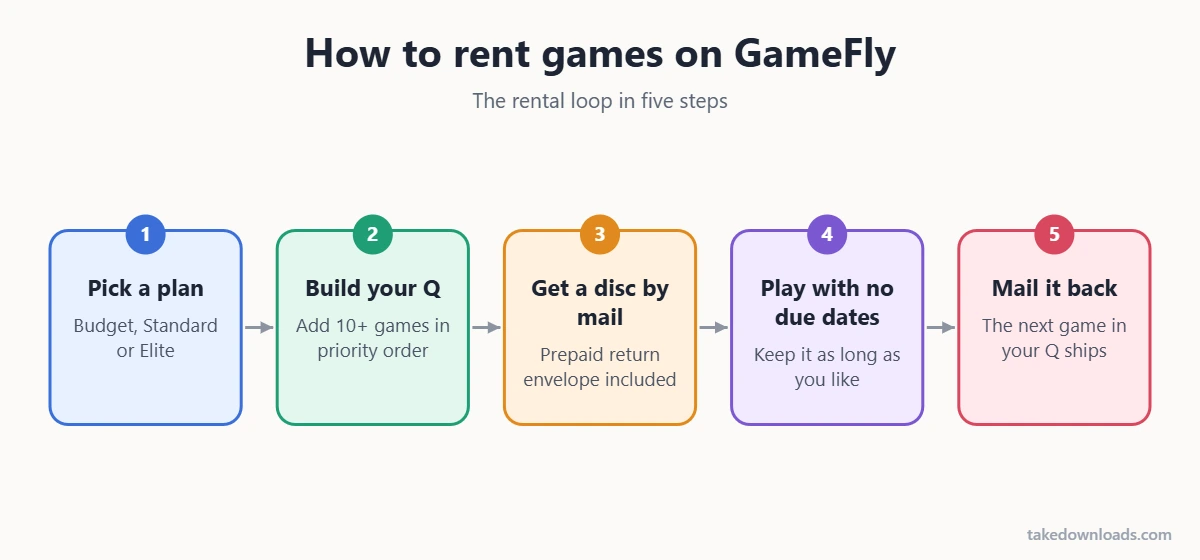
- Sign up at gamefly.com and pick a plan (GameFly regularly offers a free trial or discounted first months for new members).
- Build your Q (queue) — add the games and movies you want, in order of priority. Add more titles than your plan allows so GameFly always has something in stock to send.
- GameFly mails the top available titles in a prepaid envelope.
- Play as long as you like. There are no due dates or late fees.
- Mail it back in the same envelope. When GameFly receives it, the next title in your Q ships out.
- Love it? Keep it. Many rentals can be bought at a discount through GameFly’s Keep option instead of returning them.
Returning a game and getting the next one
When you finish a game, put it back in the prepaid envelope and drop it in any USPS mailbox. Once GameFly receives it, the next available title in your Q ships automatically, so a long, well-ordered Q keeps games arriving without gaps. If you love a game you’re renting, GameFly usually lets you buy the copy you already have at home from your account instead of sending it back.
GameFly plans and prices (mid-2026)
| Plan | Price per month | What you get |
|---|---|---|
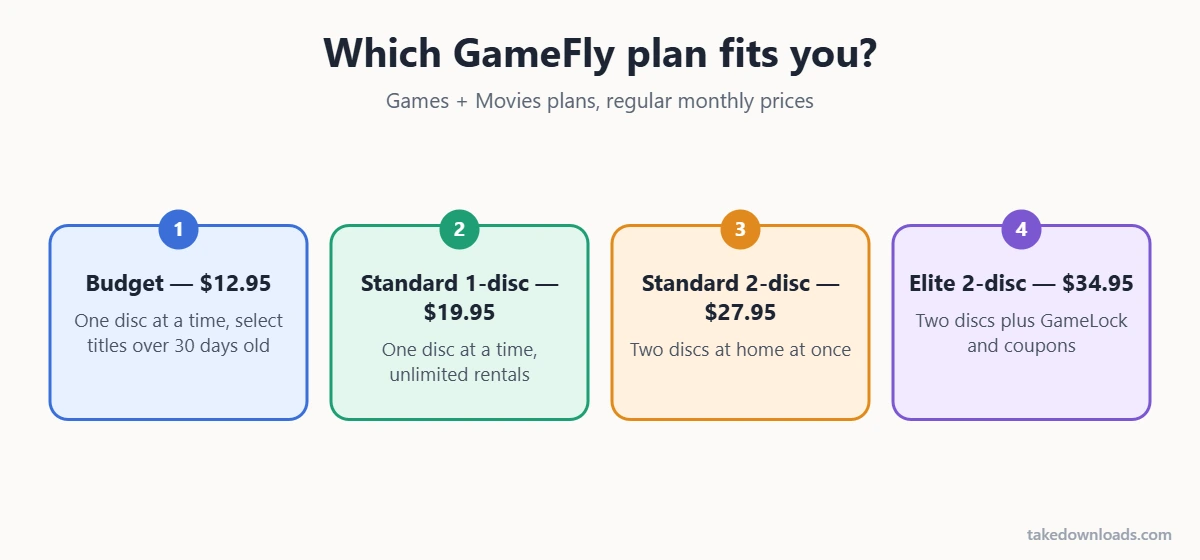
| Games + Movies, 1 disc – Budget | $12.95 | One disc at a time, select titles over 30 days old |
| Games + Movies, 1 disc – Standard | $19.95 | One disc at a time, unlimited rentals |
| Games + Movies, 2 discs – Standard | $27.95 | Two discs at a time |
| Games + Movies, 2 discs – Elite | $34.95 | Two discs plus Elite perks |
| Movies only, 1 disc | $9.95 Standard / $16.95 Elite | Blu-ray and DVD |
| Movies only, 2 discs | $16.95 Standard / $21.95 Elite | Blu-ray and DVD |
All Standard plans include free shipping both ways and no late fees. Elite adds GameLock reservations for upcoming releases, coupons on used games and movies, and priority access to select new releases. Long-term members can also unlock 3- and 4-disc plans. Prices change, so confirm on GameFly’s plans page before you subscribe.
New members often get introductory pricing for the first three months, and members in good standing can later upgrade to 3- or 4-disc plans from their account. Check the current offers on the official GameFly website before you sign up, as prices and promotions change.
Tips to get the most out of GameFly
Once you know how to rent games on GameFly, these habits help you get more games for the same monthly price:
- Choose the right plan. If you mostly play older games, the Budget plan is great value. If you want new releases soon after launch, go Standard or Elite.
- Keep your Q long. A queue of 10+ titles avoids delays when popular games are out of stock.
- Return quickly. The faster you mail a disc back, the more games you get per month — mail it the day you finish.
- Use GameLock (Elite) to reserve big releases before launch.
- Check the format. Some newer releases are Game-Key Cards or need large downloads even with the disc. Make sure you have storage space and an internet connection.
- Watch for live-service games. A game you’ll play for months (like an online shooter) is usually cheaper to buy outright than to rent.
Is GameFly worth it in 2026?
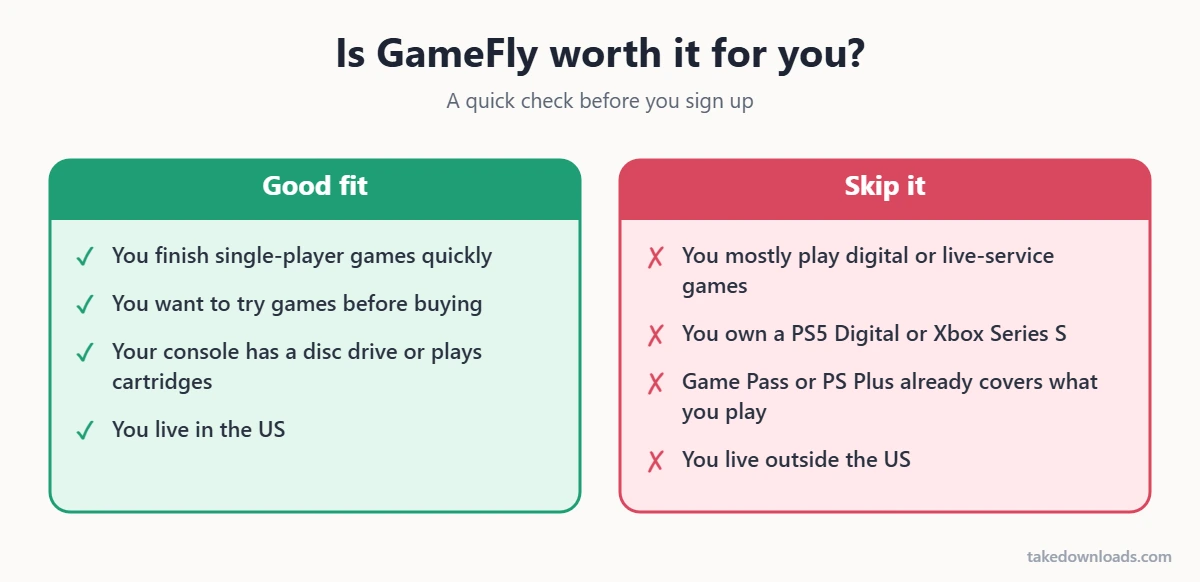
Learning how to rent games on GameFly is worth it if you:
- Play several single-player games a month and finish them quickly
- Want to try a game before buying it
- Play on consoles that still use discs (PS5 with disc drive, Xbox Series X, Nintendo Switch / Switch 2)
Probably not if you:
- Play mostly digital or live-service games
- Have a disc-free console (PS5 Digital, Xbox Series S)
- Already get most of your games through Xbox Game Pass or PlayStation Plus Extra
The industry is shifting toward digital-only releases, and GameFly has leaned into that by pitching itself as a way to keep playing physical games. It’s a niche, but for disc-based players who burn through games, it can still save a lot of money compared with buying every title. If you’d rather pay one fee for a digital library, compare Xbox Game Pass and PlayStation Plus before you decide.
Which consoles can you rent games for?
GameFly rents physical games, so you need a console that can play them. That means a PS5 with a disc drive, PS4, Xbox Series X, Xbox One, Nintendo Switch or Switch 2. If you own a PS5 Digital Edition or an Xbox Series S, there’s no disc drive, so learning how to rent games on GameFly won’t help you — a digital subscription is the better choice.
Common GameFly problems and how to fix them
- Nothing is shipping: the games at the top of your Q may be out of stock. Add more titles, including a few older ones that are easy to find.
- A disc arrives scratched or won’t load: report it from your account and GameFly will send a replacement.
- An envelope seems lost in the mail: give it a few extra days, then report it as lost so it doesn’t count against you.
- You received the wrong game: report it from your account, then send it back in the same envelope.
Most problems can be fixed from the account page in a couple of minutes, without having to call anyone.
GameFly vs subscription services
| GameFly | Game Pass / PS Plus | |
|---|---|---|
| Format | Physical discs by mail | Digital downloads / cloud |
| New releases | Most major disc releases | Selected titles only |
| Wait time | Postal delivery (a few days) | Instant |
| Keep games | Buy through Keep option | Only while subscribed |
FAQ
Is it hard to learn how to rent games on GameFly?
Not at all. Sign up, add games to your Q and GameFly handles the rest. Most people are set up in under ten minutes, and your first game ships as soon as a title in your Q is available.
Is GameFly available outside the US?
No. GameFly’s rental service ships within the United States only.
Does GameFly still have streaming?
No. GameFly closed its cloud streaming service in 2018 and now focuses on physical rentals.
Can I cancel any time?
Yes. Plans are month-to-month. Return any discs you still have to avoid being charged for them.
Are there late fees?
No. You can keep a game as long as your membership is active.
How long does shipping take?
Games travel by USPS mail, so most deliveries take a few business days each way. How quickly you get the next game depends on how far you live from a GameFly distribution center.
Can I rent new releases on launch day?
Sometimes. Popular new games can be in short supply at first. Elite members can use GameLock to reserve upcoming releases, which gives them a better chance of getting a copy early.
Final thoughts
Once you know how to rent games on GameFly, it’s a simple way to play lots of physical games without paying full price for each one. Pick the plan that matches how many games you finish each month, keep your Q long, and send discs back as soon as you’re done. Not sure what to put in your Q? Try our guides to the best Pokémon game to start with, the best Rune Factory games and the best empire builder games.

Hi, I’m Emam Hasan — an English teacher and the founder of Anirban Lexicon Center in Mirpur, Dhaka. I run Takedownloads to share honest game guides, tips and app reviews that help players choose well and play better. Alongside teaching, I work in digital marketing and SEO, and I enjoy turning complex topics into simple, helpful lessons anyone can follow.