Want to know how to use binoculars in War Thunder? Binoculars are one of the most useful — and most ignored — tools in War Thunder ground battles. They give you a magnified view of the battlefield without exposing your gun barrel, let you spot enemies before they spot you, and can even measure distance to a target. Here’s how to use them properly, plus the keybinds worth changing.
Table of Contents
Quick answer: how to use binoculars in War Thunder
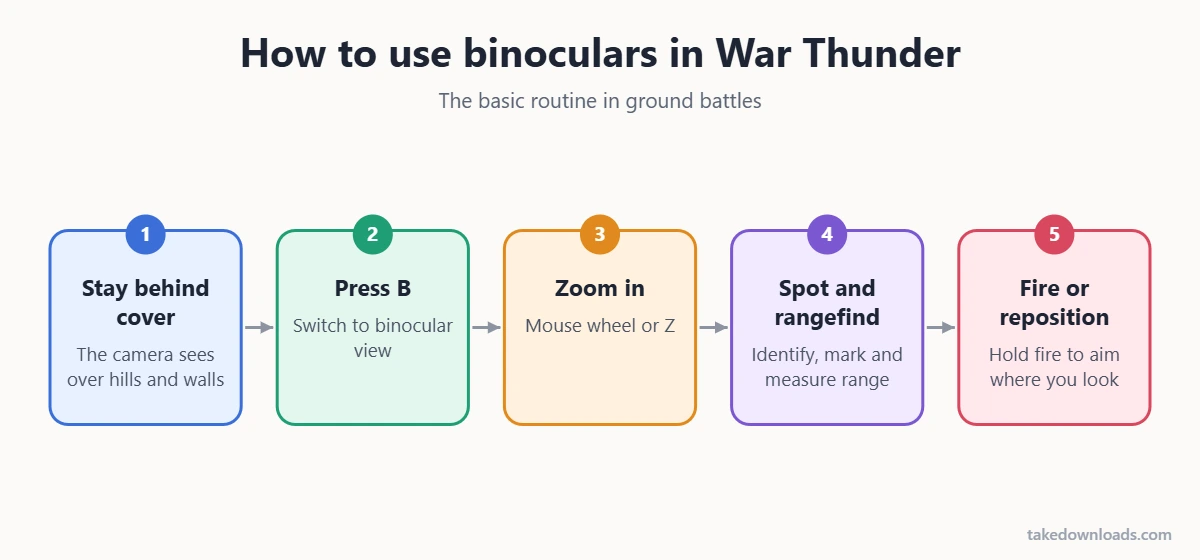
On PC, press B to look through your binoculars in a tank (the default key; you can rebind it under Controls > Ground Vehicles > View). Use the mouse wheel or Z to zoom, press B again or Shift to return to the gunner’s sight, and hold fire while looking through binoculars to swing your gun towards the point you’re viewing.
Default controls you’ll use with binoculars
| Action | Default key (PC) | Notes |
|---|---|---|
| Binoculars | B | Many players move it to a mouse side button |
| Gunner / sniper sight | Left Shift | Cycles through available sights |
| Zoom | Mouse wheel / Z | Toggles between minimum and maximum zoom |
| Free look | C | Look around without turning the turret |
| Rangefinder | Check your controls | Not always bound by default — set it yourself |
Defaults can change between control presets, so open Options > Controls, search for “binoculars” and “rangefinder”, and confirm what yours are set to. On consoles, assign binoculars in the controller settings — it’s often unbound. The official War Thunder Wiki explains each ground vehicle’s sights and crew skills in more detail.
How to use binoculars step by step
- Stay behind cover. The camera view rises above your tank, so you can often see over a hill or wall while your hull and gun stay hidden.
- Press B to switch to binoculars.
- Zoom in with the mouse wheel or Z to inspect a bush, ridge or building corner.
- Spot and mark. In Realistic Battles, looking at an enemy with binoculars helps you identify it; use your spot/mark target key (bind it if it’s empty) so teammates see the marker.
- Measure range. Binoculars can rangefind: aim at the target and press your rangefinder key to get an estimated distance. Accuracy depends on your crew’s rangefinding skill.
- Adjust and fire. Switch back to the gunner sight with Shift, set the range on your scope (or use the estimate to hold over) and take the shot.
Rangefinding explained
A big part of how to use binoculars in War Thunder is rangefinding. Shells drop over distance, so a shot aimed perfectly at a tank 1,200 metres away can land short if your sight is set for 600. Point your binoculars at the target and press the rangefinder key to get an estimate, then use it to adjust your aim or your sight’s range setting. The estimate gets more accurate as you upgrade your crew, so early on treat it as a guide and watch where your first shot lands.
Firing while using binoculars
If you hold the fire key while looking through binoculars, your turret turns toward where you’re looking and the gun fires when it’s lined up. It’s handy for quick shots on large, slow targets, but less precise than the gunner sight because binoculars aren’t perfectly aligned with your barrel. For important shots, switch back to the gunner’s view first.
Some modern tanks also have a commander’s sight. Pressing the binocular key cycles through your current view, commander sight and binoculars, so you can scan with stabilised optics before handing the target to the gunner.
When to use binoculars
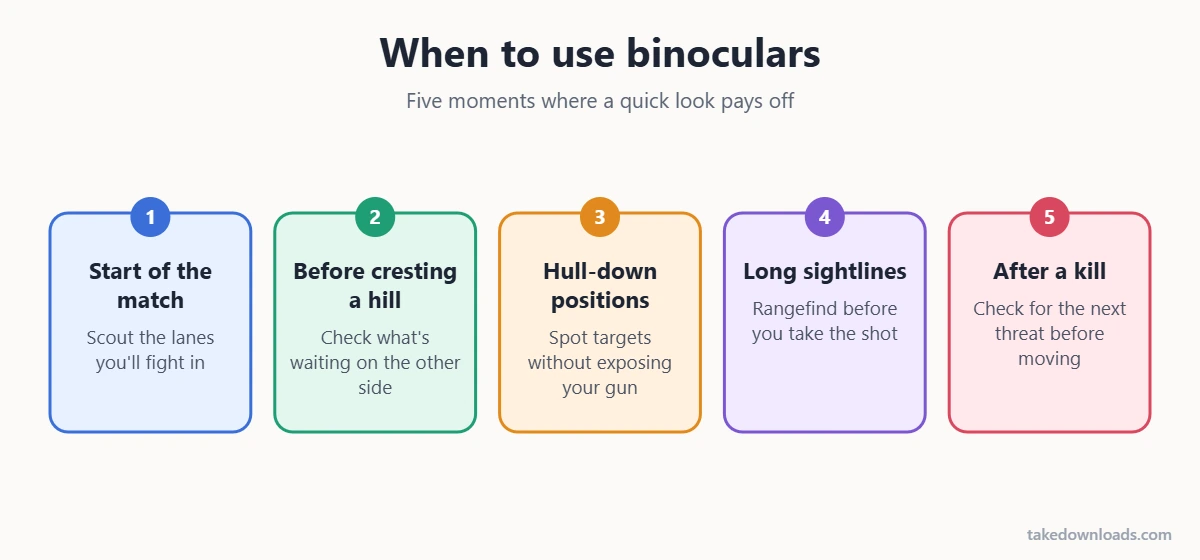
Knowing how to use binoculars in War Thunder is one thing; knowing when to use them is what wins fights. A quick look at the right moment tells you where enemies are before they see you.
Binoculars in each game mode
In Arcade Battles, enemies are marked for you, so binoculars matter less for spotting — but the zoom still helps you find weak spots and judge distance. In Realistic Battles, there are no permanent markers, so binoculars become one of your best scouting tools. In Simulator, views are more restricted, so check which views your vehicle allows before you rely on them.
Keybinds worth changing
- Move binoculars to a mouse side button so you can check the battlefield without taking your hand off WASD.
- Bind a rangefinder key if your preset leaves it empty.
- Keep free look on an easy-to-reach key for quick glances around.
- Make sure no other action shares the binocular key in your preset.
Tactical tips
- Peek, don’t poke. Use binoculars from behind a crest to locate enemies, then move up only once you know where they are.
- Check your flanks. A quick binocular sweep before leaving a capture point can reveal tank destroyers waiting on the next ridge.
- Spot for your team. Spotting enemies gives RP rewards and helps teammates — it pays even if you don’t get the kill.
- Combine with free look (C) to check your surroundings without wasting turret traverse.
- Upgrade the right crew skills. The commander’s rangefinding and target identification skills make binoculars more useful in Realistic and Simulator modes.
Common mistakes
- Staying in binocular view too long and getting flanked.
- Peeking over the crest with your whole tank instead of just the camera.
- Forgetting to rangefind before long shots.
- Never rebinding the key, so binoculars feel awkward to use mid-fight.
Want more tactics from experienced players? The official War Thunder forum has ground-battle guides for every nation.
FAQ
Why does my binocular key do nothing?
It may be unbound in your control preset, or bound to a key used for something else. Search “binoculars” in Controls and assign a free key.
Can I use binoculars in aircraft?
No. Binoculars are a ground-vehicle feature. In aircraft you use zoom and the cockpit/gun sight.
Do binoculars work in Arcade?
Yes. They’re available in all ground modes, though they matter most in Realistic and Simulator, where spotting isn’t automatic.
Is it worth learning how to use binoculars in War Thunder as a beginner?
Yes. It takes a few minutes to set up the keys, and spotting enemies first is one of the easiest ways to survive longer and earn more RP.
Which crew skills improve binoculars?
The commander’s rangefinding and target identification skills. Upgrading them is one of the best investments once you know how to use binoculars in War Thunder, because faster, more accurate information helps in every battle.
Should I use binoculars or the gunner sight to aim?
Use binoculars to find and range targets, then switch to the gunner sight for the actual shot when you have time. The gunner sight shows your exact aim point, while binoculars are best for scouting and quick shots when you hold the fire key.
Final thoughts
Now you know how to use binoculars in War Thunder: press B, zoom in from behind cover, spot and rangefind, then fire or move with a plan. Set the key somewhere comfortable and make it a habit before every push. Control changes and new features are announced in the official War Thunder news.
More War Thunder help: how to play naval battles, how to level up and how to rank up faster.

Hi, I’m Emam Hasan — an English teacher and the founder of Anirban Lexicon Center in Mirpur, Dhaka. I run Takedownloads to share honest game guides, tips and app reviews that help players choose well and play better. Alongside teaching, I work in digital marketing and SEO, and I enjoy turning complex topics into simple, helpful lessons anyone can follow.